Portfolio delivery health, at a glance.
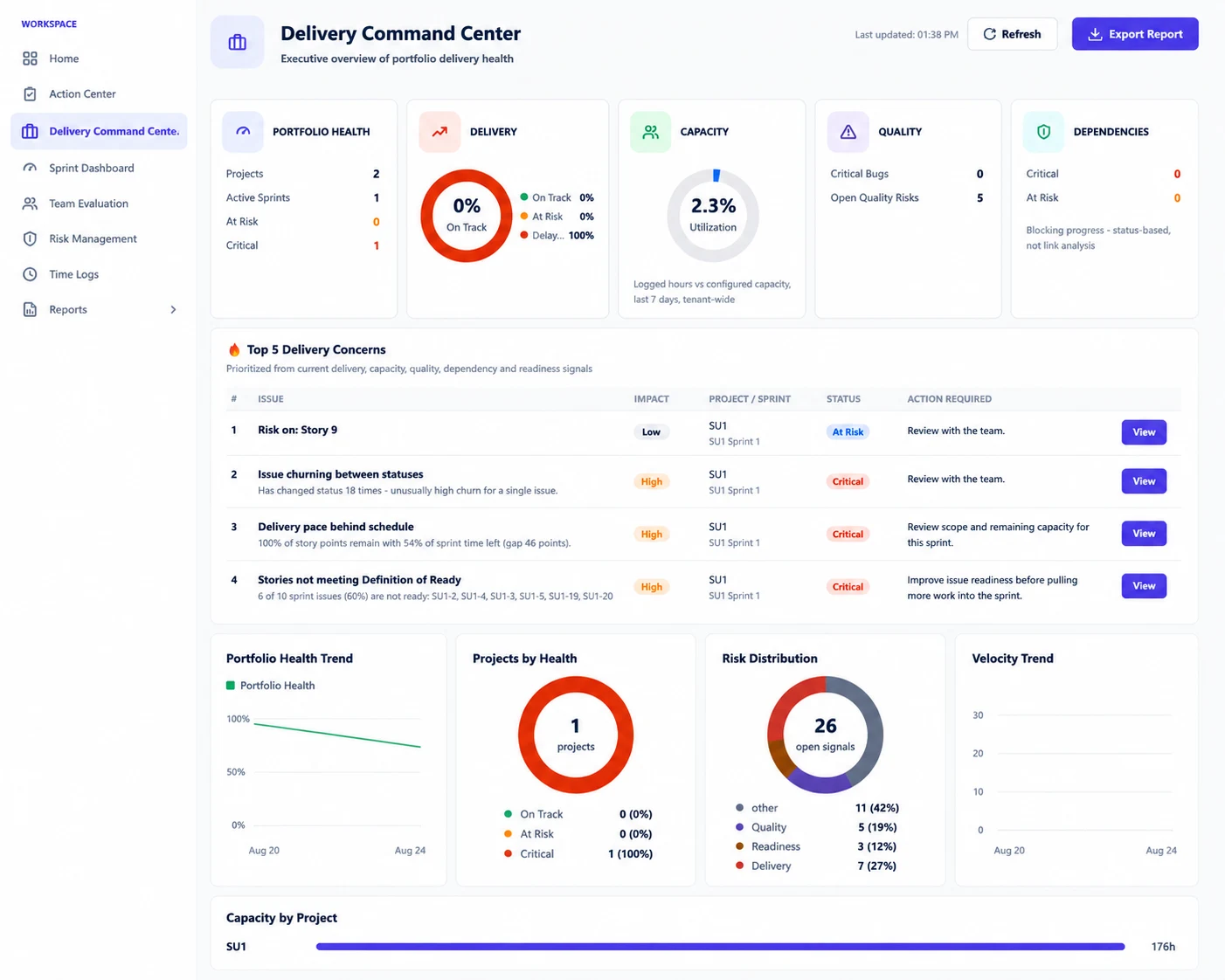
An executive overview of every project's delivery health — Portfolio Health, Delivery, Capacity, Quality and Dependencies in one screen.
Instead of opening project after project to piece together status, Delivery Command Center rolls it all up — with the Top 5 Delivery Concerns already ranked and ready to act on.
Portfolio status lives
in too many places.
Leadership needs one honest answer to "how is delivery going?" — but getting it usually means opening every project, every board and every report and piecing it together by hand.
- No single view of delivery health across projects.
- Capacity, quality and dependency signals live in separate places.
- The most urgent concerns aren't ranked or prioritized.
- Trends over time are hard to see without manual reporting.
- Preparing a status update takes hours of copy-paste.

How Delivery Command Center Helps
Every portfolio signal tracked in one executive view.
Portfolio Health
Projects, active sprints, at-risk and critical counts across the whole portfolio.
Delivery
On Track, At Risk and Delayed status rolled up into one delivery score.
Capacity
Logged hours against configured capacity, tenant-wide over the last 7 days.
Quality
Critical bugs and open quality risks surfaced before they compound.
Dependencies
Blocking progress caught through status-based analysis, not just links.
See It In Action
Real views from SprintUnity.
Portfolio Health, Delivery, Capacity, Quality and Dependencies, all in the top row.
Prioritized from current delivery, capacity, quality, dependency and readiness signals — with the action already spelled out.
Portfolio Health Trend, Risk Distribution and Velocity Trend, exportable as a report for stakeholders in one click.
Built for every level.
From the people running delivery to the people accountable for it.
Delivery Managers
See the whole portfolio's health without opening a single project.
Engineering Managers
Know which projects need attention before a status meeting asks.
Program Managers
Track capacity, quality and dependencies across every team at once.
Leadership
Get an honest, exportable read on portfolio delivery, on demand.
Team Leads
See exactly how their project rolls up into the bigger picture.
Ready to build better sprints?
See every project's delivery health in one screen, and know what to fix first.