Start your sprint with work that's actually ready.
Validate whether stories meet your Definition of Ready before they enter the sprint.
Configurable rules score every story against your own Definition of Ready, with a clear readiness percentage and exactly which requirements are still missing.
Ready to start
isn't the same as ready to build.
Stories move fast into a sprint. Whether they're actually ready to be worked on is a different question — one that usually gets asked too late.
- Stories enter sprints with missing information.
- Acceptance criteria may be incomplete.
- Dependencies may not be identified.
- Teams discover readiness problems after sprint commitment.

How Issue DOR Helps
Your Definition of Ready, turned into rules that score every story automatically.
Readiness Validation
Validate whether a story meets your Definition of Ready before it enters a sprint.
Configurable Rules
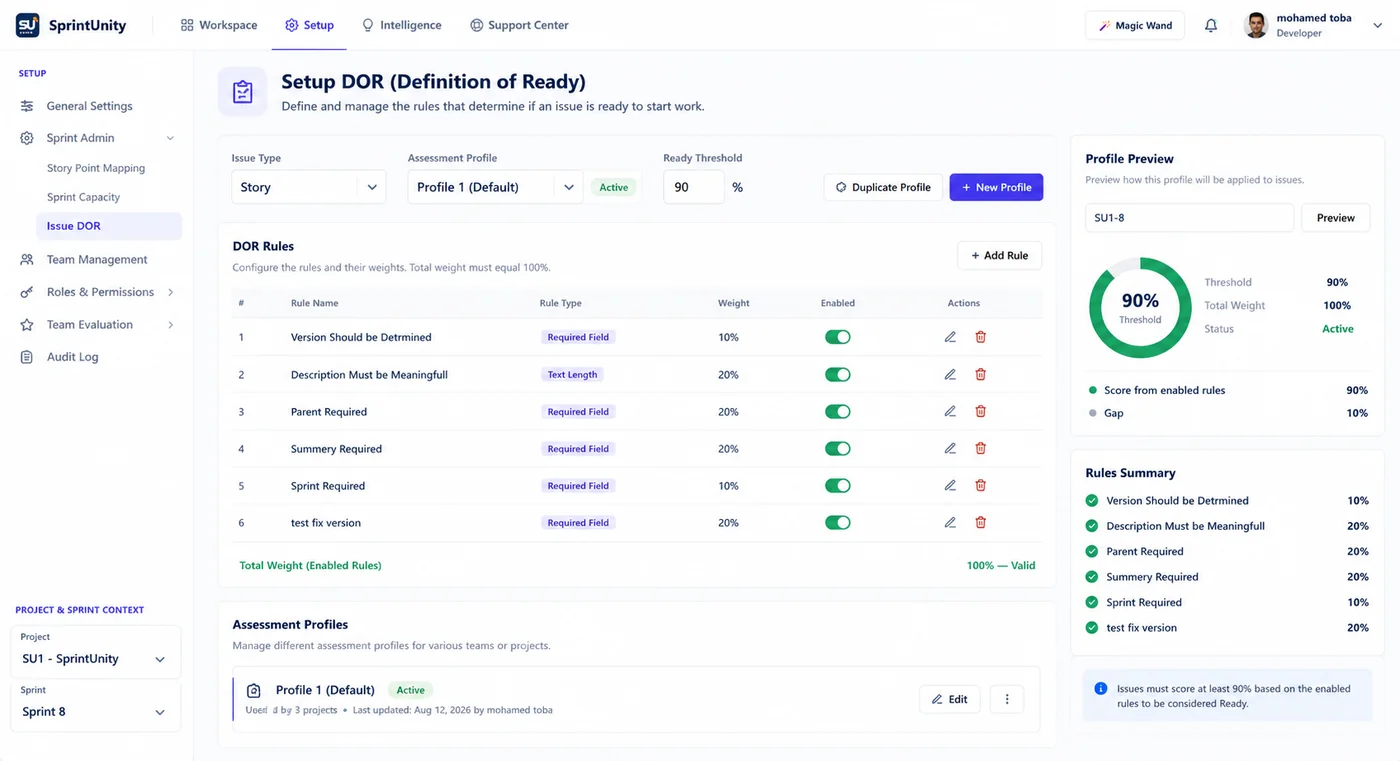
Define rules like Required Field or Text Length, each with its own weight.
Readiness Score & Status
See a single readiness percentage against your threshold — Ready or Not Ready.
Missing Requirements
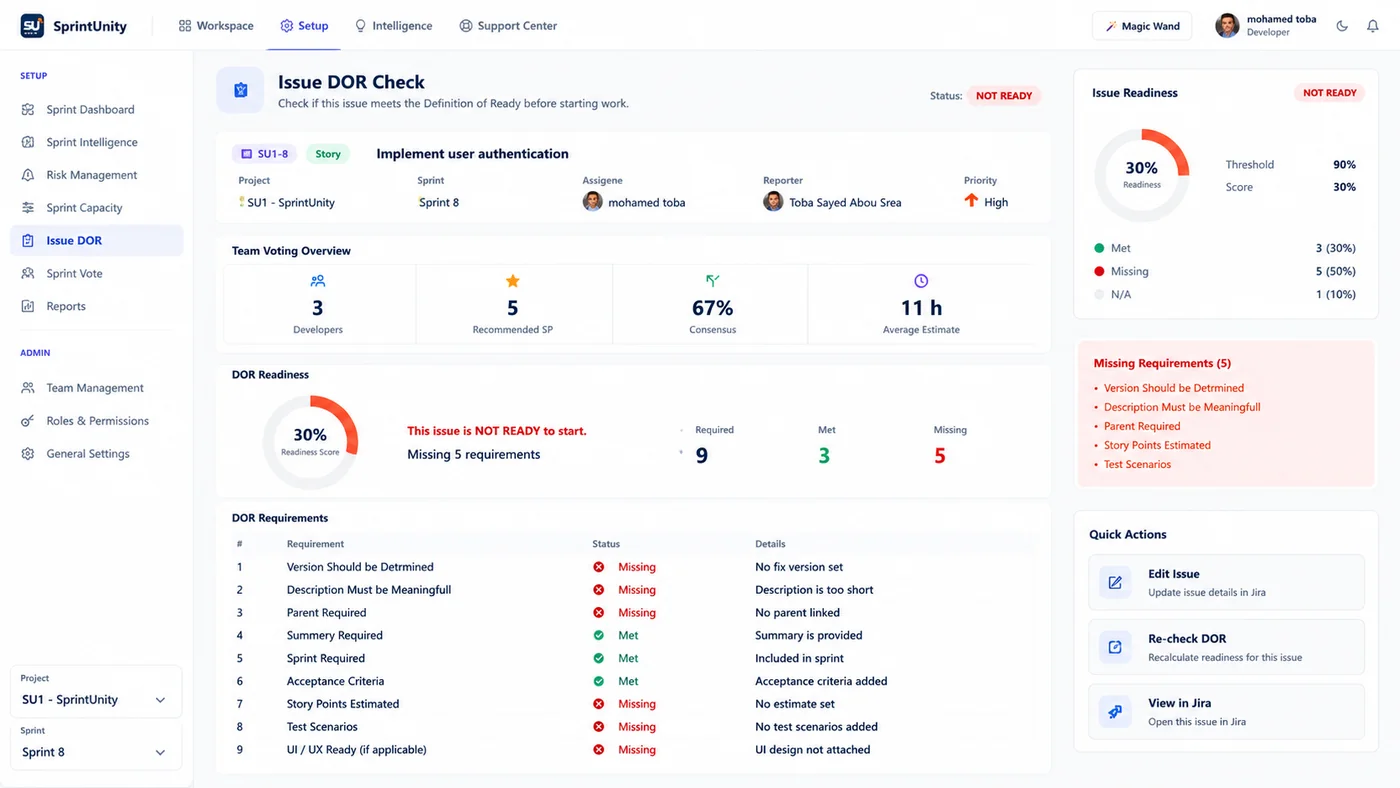
See exactly which rules failed, and why, in plain language.
Sprint Entry Control
Use assessment profiles per project and issue type to define what counts as ready.
See It In Action
Real views from SprintUnity.
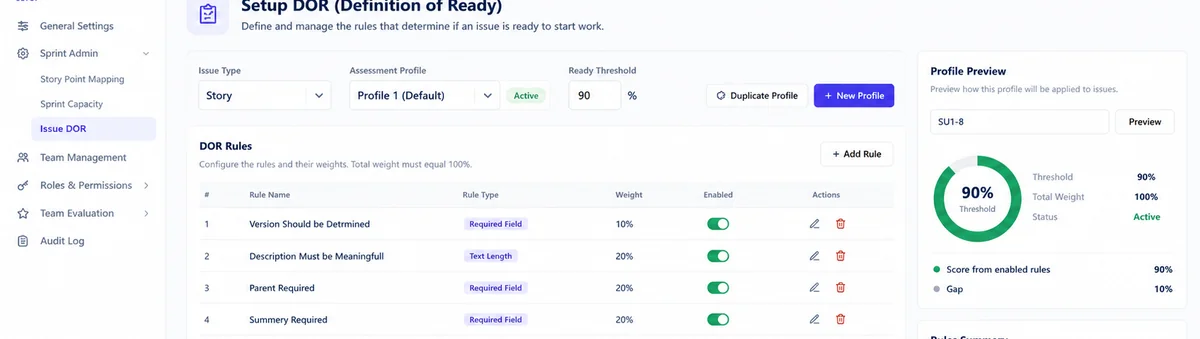
Set up rules like Required Field or Text Length, each with its own weight, per project and issue type.
Preview how the rules apply to a specific issue and see its readiness score against your threshold.
See exactly which requirements are missing before the story is pulled into a sprint.
Not just for admins.
Visible on every issue.
Readiness isn't locked away in a settings screen. Any team member can check whether a story meets the Definition of Ready before it's ever pulled into a sprint.
Readiness, at a glance
A readiness percentage, status (Ready / Not ready) and score are visible right on the issue — no separate admin panel required.
Exactly what's missing
Each failed rule is listed by name, so anyone on the team knows precisely what to fix before the story is ready.
Readiness everyone can check.
From writing the story to pulling it into the sprint.
Product Owners
Know a story is ready before it's committed.
Business Analysts
Catch incomplete criteria before refinement ends.
Scrum Masters
Run a consistent readiness bar every sprint.
Team Leads
Stop unready work before it's pulled in.
Developers
Start work with the details already in place.
Delivery Managers
See readiness as a leading indicator, not a surprise.
Ready to build better sprints?
Plan with capacity. Commit with confidence. Detect risks before they become delivery problems.