Control exactly who can do what.
Granular permissions per project — control exactly who can vote, close sprints, view reports or manage risk.
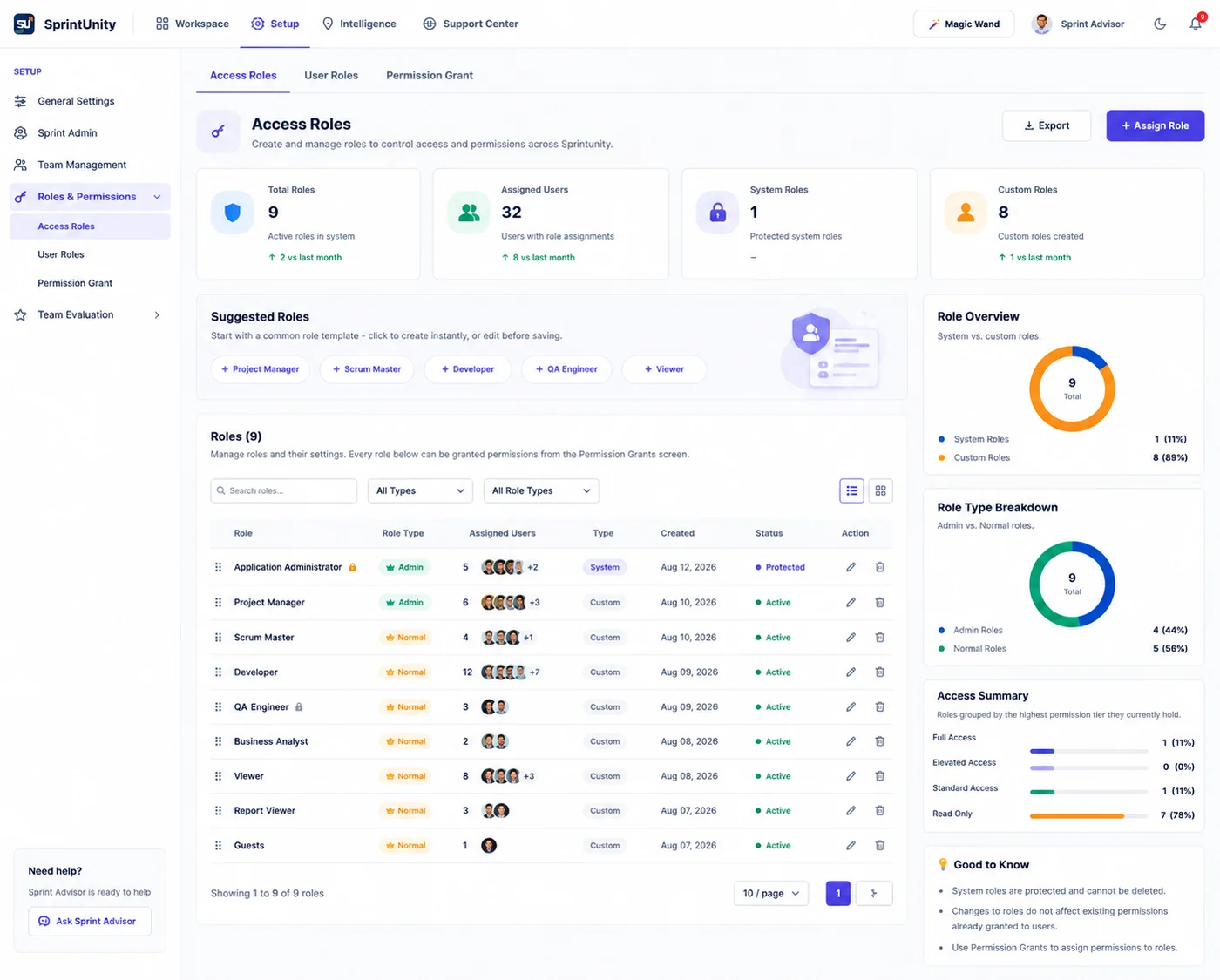
Create System and Custom roles, start from suggested templates, and grant permissions module by module — with every change tracked.
Without real roles,
everyone gets full access.
Without granular permissions, anyone can vote, close a sprint, or see risk and reporting data they shouldn't.
- Every user gets the same access, regardless of their role.
- There's no clean way to separate admins from contributors.
- Permission changes happen informally, with no record of who changed what.
- Sensitive modules like Risk and Reports are open to everyone.
How Role-Based Access Helps
Roles and permissions that match how your team actually works.
Access Roles
Create and manage System and Custom roles to control access across the app.
Suggested Role Templates
Start from common templates like Scrum Master, Developer or QA Engineer, and customize from there.
Permission Grants
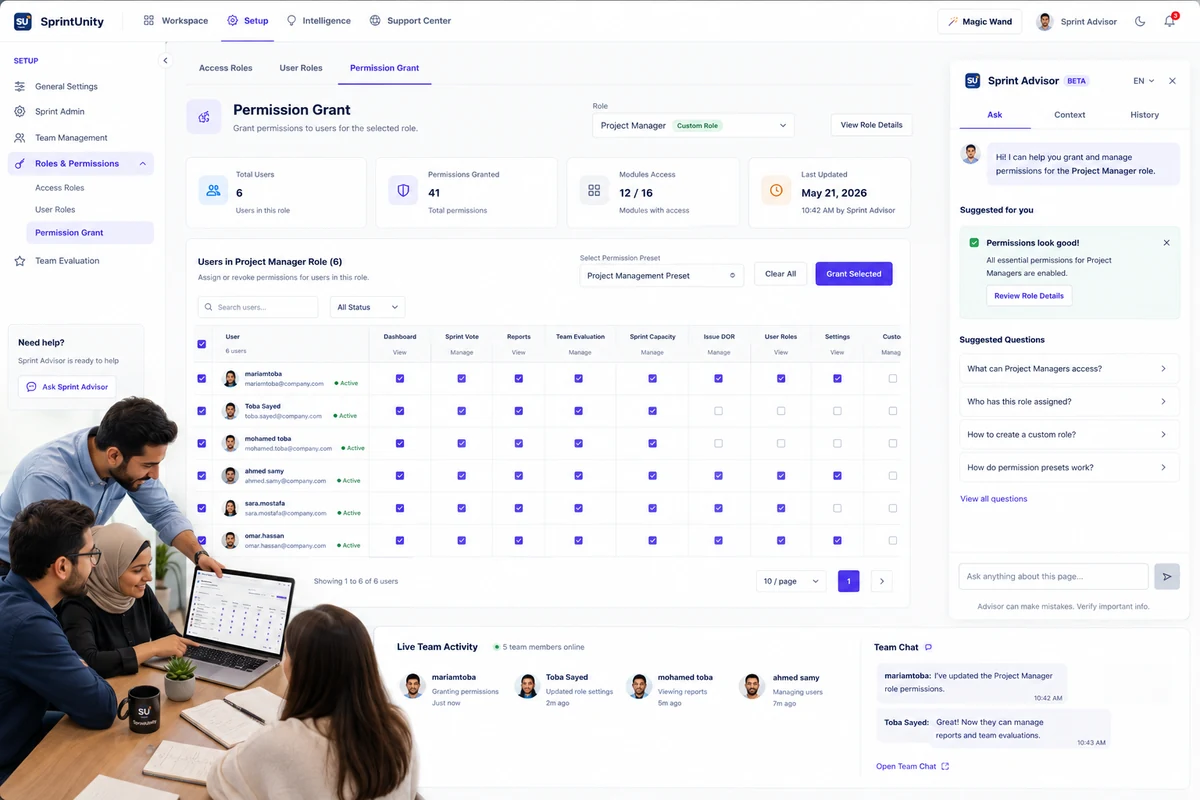
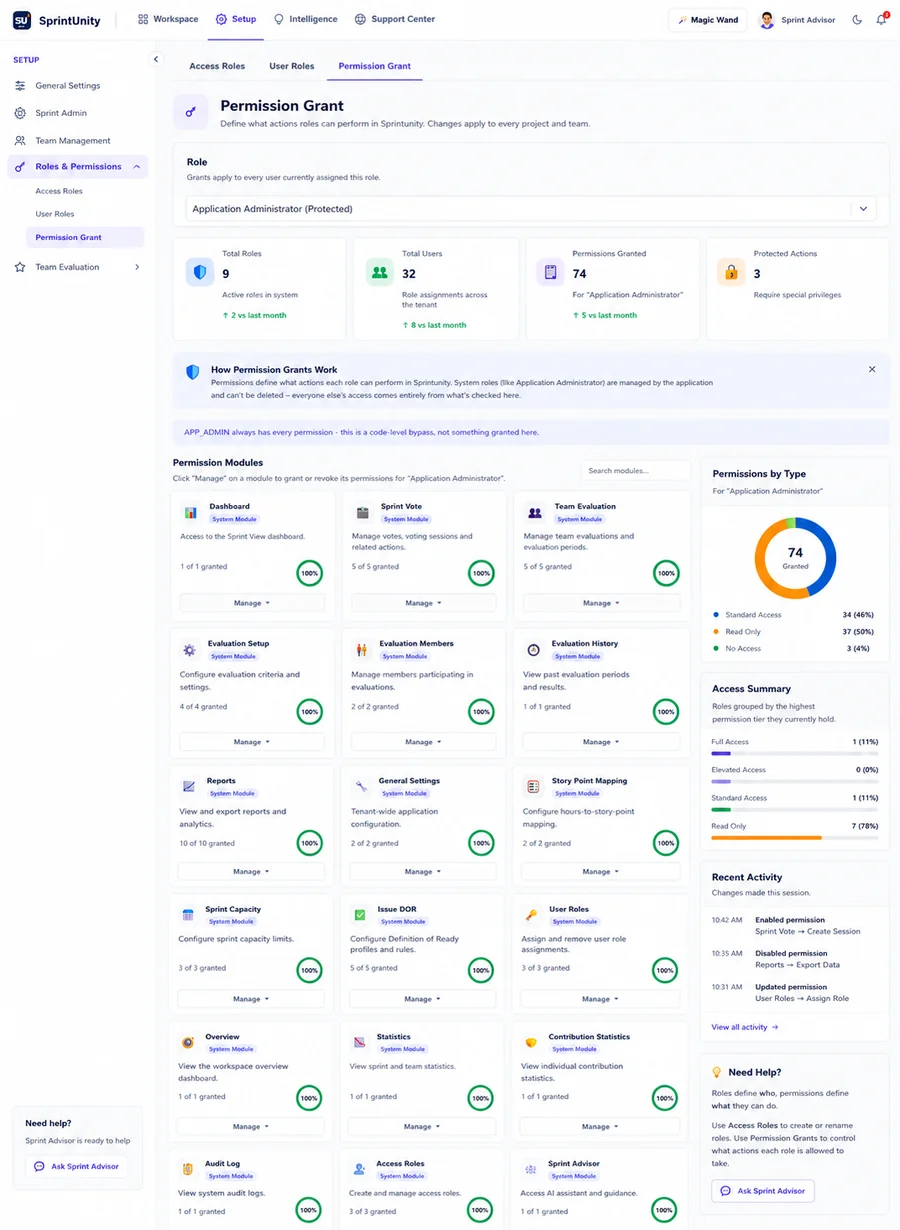
Grant or revoke permissions per module and per role — Dashboard, Sprint Vote, Team Evaluation, Reports and more.
Per-User Overrides
Assign or revoke permissions for individual users within a role, without creating a new one.
Full Activity Trail
Every permission change is tracked in Recent Activity, so nothing changes silently.
See It In Action
Real views from SprintUnity.
Build a new role from scratch, or click a suggested template like Scrum Master or QA Engineer.
Turn access on or off per module — Dashboard, Sprint Vote, Reports, Risk, Issue DOR and more.
Apply the role to users, override individually where needed, and see every change in Recent Activity.
Access that matches
the role.
From application admin to individual contributor.
Application Administrators
Control every module and role from one place.
Team Leads
Give the team exactly the access they need — no more.
Scrum Masters
Manage voting and sprint permissions with confidence.
Delivery Managers
Keep sensitive Risk and Reports data restricted.
Engineering Managers
Roll out consistent access across every team.
IT & Security
Get an auditable, permission-based access model.
Ready to build better sprints?
Plan with capacity. Commit with confidence. Detect risks before they become delivery problems.